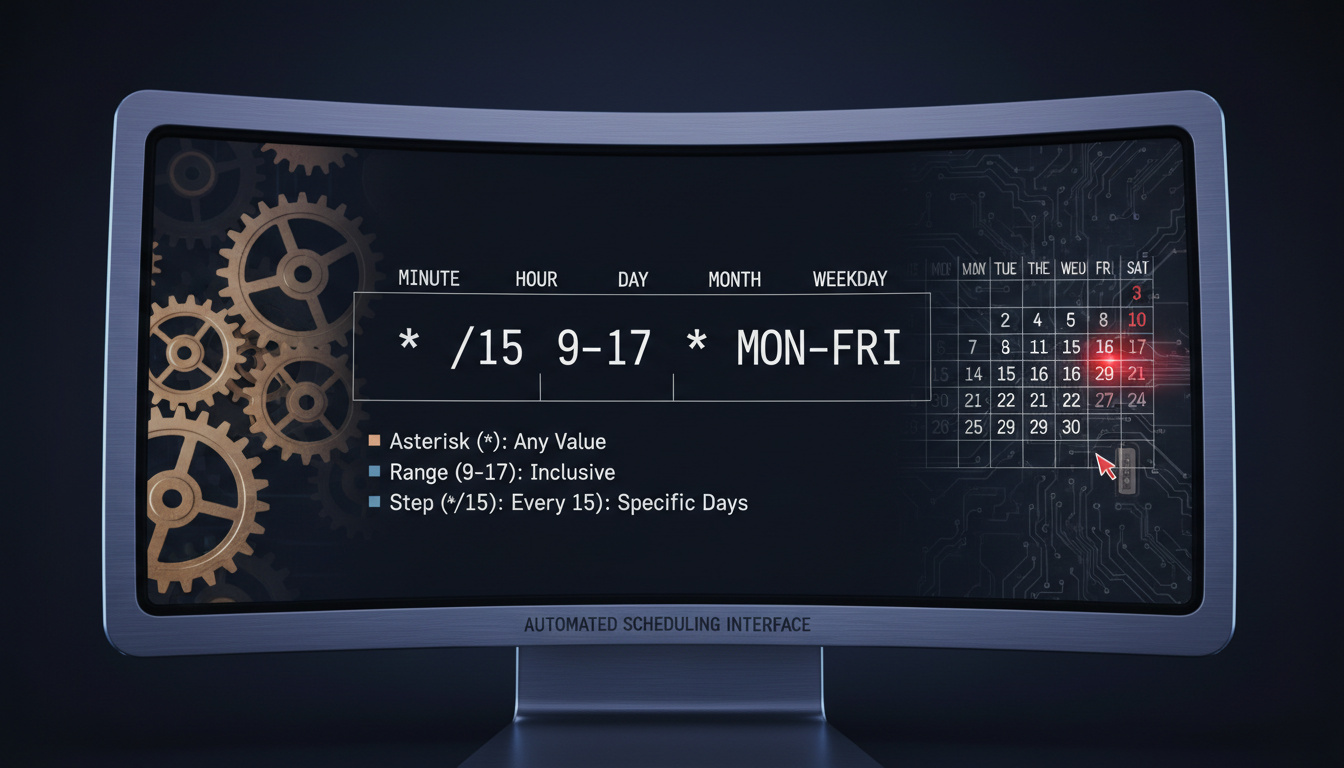

Cron expressions serve as the backbone of automated task scheduling across Unix-like systems, cloud infrastructure, and enterprise applications. These compact strings of numbers and symbols determine precisely when scripts, backups, and maintenance routines execute without human intervention.
The syntax follows a specific field-based structure that has remained largely unchanged since its inception in the 1970s. Understanding this format enables system administrators and developers to automate repetitive workflows with precision timing, from daily database backups to complex multi-step deployment processes.
While the concept appears technical, the underlying logic follows predictable patterns that translate readable time concepts into machine-readable instructions. Modern tools have further democratized access to this scheduling language through visual editors and translation utilities that bridge the gap between human intent and system execution.
What Is a Cron Expression?
A cron expression is a string comprising five to seven space-separated fields that specify exact time parameters for scheduled tasks. In standard Unix and Linux environments, the format strictly utilizes five fields representing minute, hour, day of month, month, and day of week, read from left to right.
The expression operates as a pattern-matching mechanism against the current system time. When the system’s clock matches all specified constraints within the expression, the associated command or script executes immediately.
5-field string for scheduling tasks in Unix-like systems
Minute | Hour | Day of Month | Month | Weekday
* (any value), / (step), – (range), , (list)
0 * * * * executes at the start of every hour
- Standard Unix cron uses exactly five fields, omitting seconds entirely from the specification
- Range notation like 1-5 specifies consecutive values, commonly used for weekdays Monday through Friday
- Step notation via forward slash enables intervals such as */15 for every fifteen minutes
- Quartz scheduler extends the format to six or seven fields, adding seconds and optional year parameters
- Interactive validation tools like crontab.guru translate cryptic strings into human-readable schedules
- Day-of-month and day-of-week fields interact uniquely—specifying both triggers execution if either condition matches, not necessarily when both align
| Field | Position | Allowed Values | Example |
|---|---|---|---|
| Minute | 1 | 0-59 | * or 0/5 |
| Hour | 2 | 0-23 | 9-17 |
| Day of Month | 3 | 1-31 | 1,15 |
| Month | 4 | 1-12 or JAN-DEC | * or JAN |
| Day of Week | 5 | 0-7 or SUN-SAT | 1-5 |
| Seconds (Quartz only) | 0 (or 1) | 0-59 | 0/30 |
| Year (Quartz optional) | 7 | 1970-2099 | * |
How Do You Read a Cron Expression?
Reading a cron expression requires parsing the fields from left to right, translating each position into its corresponding time unit. The sequence follows a logical progression from the smallest time increment (minutes) to the largest recurring pattern (weekdays), allowing precise temporal targeting.
Decoding the Five Positions
Each field position carries immutable meaning within the standard Unix format. The first value represents minutes past the hour (0-59), the second indicates the hour of day (0-23), the third specifies the calendar date (1-31), the fourth denotes the month (1-12), and the final field controls the weekday (0-7, where both 0 and 7 represent Sunday).
Understanding Wildcards and Operators
Special characters modify field behavior beyond simple numeric matching. The asterisk (*) serves as a universal wildcard, matching any valid value for that position. Hyphens (-) define inclusive ranges, commas (,) separate discrete values, and forward slashes (/) establish step intervals or frequencies.
Parse expressions from left to right: Minute (0-59), Hour (0-23), Day of Month (1-31), Month (1-12), Day of Week (0-7). An asterisk in any position means “every” valid unit of that field. When both day-of-month and day-of-week contain non-wildcard values, the job executes when either field matches the current date.
Common Translation Patterns
Expression 0 18 * * 1-5 translates to “minute zero of hour eighteen, every day of the month, every month, Monday through Friday”—or simply 6:00 PM on weekdays. The Healthchecks.io documentation provides visual breakdowns showing how each position maps to calendar and clock concepts.
What Are the Fields in a Cron Expression?
Minute and Hour Precision
The first two fields control the clock time with minute-level granularity. Minute values span 0 through 59, while hours utilize a 24-hour format ranging from 0 (midnight) to 23 (11 PM). These fields support precise scheduling such as 30 9 for 9:30 AM or 0 0 for midnight execution.
Day and Month Constraints
The third and fourth fields filter by calendar date and month. Day-of-month accepts values 1-31, though expressions specifying dates like the 31st will not execute in months containing fewer days. Month values accept either numeric representations (1-12) or three-letter abbreviations (JAN-DEC) depending on the implementation.
Weekday Specifications
The final field specifies weekdays using 0-7 notation, where 0 and 7 both represent Sunday, and 1 through 6 map to Monday through Saturday. Alternatively, three-letter abbreviations (SUN-SAT) function in most modern implementations. AWS documentation notes that if both day-of-month and day-of-week are restricted (not *), the job executes when either field matches the current time.
Cron Expression Examples
Practical implementation requires understanding how abstract patterns translate to real-world schedules. System administrators frequently reference standard patterns for common automation needs.
| Expression | Description | Use Case |
|---|---|---|
* * * * * |
Every minute | High-frequency monitoring |
*/5 * * * * |
Every 5 minutes | Status checks |
0 * * * * |
Every hour at minute 0 | Log rotation |
0 0 * * * |
Midnight daily | Database backups |
0 6 * * 1 |
6:00 AM Mondays | Weekly reports |
0 18 * * 1-5 |
6 PM weekdays | Business hours tasks |
0 3 1 * * |
3 AM on first of month | Monthly maintenance |
Advanced Cron Expressions and Variations
Quartz Scheduler Extensions
The Quartz job scheduling library, prevalent in Java enterprise environments, extends the traditional format to six required fields by prepending a seconds position (0-59) and optionally appending a year field. Oracle documentation confirms this format supports additional special characters including the question mark (?), which indicates “no specific value” for use when specifying one day field but not the other.
Platform-Specific Dialects
GitLab CI/CD pipelines and AWS EventBridge implement the standard five-field Unix format, rejecting seconds-based expressions. Conversely, Salesforce analytics uses a six-field variant where seconds remain fixed at zero. GitLab documentation explicitly recommends sticking to standard Unix syntax for maximum compatibility across platforms.
Quartz expressions support extended syntax including L (last day of month), W (weekday), and # (nth occurrence). Unix crontab lacks these features but provides simpler, more universally compatible scheduling across Linux distributions and cloud platforms.
Specifying both day-of-month and day-of-week as specific values (not asterisks) creates an OR condition, not an AND condition. The job executes if either field matches. To schedule a job for the 15th AND only if it is a Monday, most systems require additional logic within the script itself.
When Did Cron Expressions Originate?
- — Cron introduced in Unix Version 7 by AT&T Bell Labs as a system daemon for command scheduling
- — Crontab file format standardized across BSD Unix and System V variants, establishing the five-field convention
- — Quartz Scheduler developed for Java, extending cron to support seconds and years for enterprise application needs
- — Integration into GitHub Actions, AWS Lambda, Kubernetes CronJobs, and modern cloud infrastructure
What Is Definitively Known About Cron Syntax?
Established Standards
- Five-field format is universal across Unix, Linux, and POSIX systems
- Fields are evaluated from left to right: minute through weekday
- Asterisk (*) universally represents “any value” or “every unit”
- Numeric ranges follow inclusive boundaries (1-5 includes both endpoints)
Platform Variations
- Seconds field: Absent in Unix, mandatory in Quartz, fixed at 0 in Salesforce
- Year field: Optional only in Quartz implementations
- Day-of-week numbering: Sunday as 0 or 7 varies by documentation source
- Overlap handling: Exact behavior when both day fields specify values differs slightly between Cronhub and traditional cron implementations
Where Are Cron Expressions Used Today?
System administrators utilize cron expressions for automated log rotation, database backups, and security patch scheduling in on-premises data centers. Cloud architects deploy identical syntax through managed services to trigger serverless functions and containerized batch processing.
DevOps engineers embed scheduling within CI/CD pipelines to coordinate deployment windows, while data engineers orchestrate ETL workflows to process information during off-peak hours. The syntax appears in monitoring systems like Healthchecks.io for heartbeat validation and in content management systems for scheduled publishing.
Limitations exist in distributed environments where clock synchronization across nodes becomes critical. Overlapping job executions, timezone inconsistencies, and daylight saving transitions require additional safeguards beyond the basic expression syntax. Modern alternatives such as systemd timers provide dependency management and service control capabilities that traditional cron lacks.
What Do Official Documentation Sources Say?
The crontab file consists of lines of six fields each. The fields are separated by spaces or tabs. The first five are integer patterns that specify minute, hour, day of month, month, and day of week.
Cron expressions provide the ability to specify complex time combinations such as “at 8:00 o’clock every Monday through Friday”. The Quartz format provides for a seconds field and supports special characters including the hash (#) for specifying the nth occurrence of a weekday.
How to Get Started With Cron Expressions?
Begin by identifying the specific execution frequency required for your automation task, then map those requirements to the five standard fields. Test expressions using online validation tools before deploying to production systems to prevent unintended execution patterns. For system-level automation, utilize crontab -e on Linux hosts, while cloud-native applications should reference platform-specific documentation regarding timezone handling and concurrency controls. Those interested in consumer technology schedules may also review the Nintendo Switch 2 Release Date or compare automation costs with Aldi Mobile Plans for budget-conscious monitoring solutions.
Common Questions About Cron Syntax
What is the best cron expression generator?
Crontab.guru provides visual editing with real-time translation, while Cronhub.io generates expressions from natural language descriptions like “every 5 minutes.”
Why does my cron job run twice?
Duplicate executions typically occur when both day-of-month and day-of-week fields contain specific values, creating an OR condition rather than an AND condition.
Can I use seconds in standard cron?
Standard Unix cron does not support seconds; the field is fixed at 0. Quartz and some enterprise schedulers add seconds as a sixth field.
What is the difference between 0 and 7 in weekday fields?
Both 0 and 7 represent Sunday in standard Unix cron. Some implementations treat 7 as Sunday while others reserve it for invalid values.
How do I schedule a job for every 5 minutes?
Use the expression */5 * * * * where the first field (minute) uses a step value of 5, executing at 0, 5, 10, 15 minutes past each hour.
Are cron expressions case sensitive?
Month and weekday abbreviations (JAN, FEB, MON) must typically match the expected case defined by the specific implementation, though most systems accept uppercase.
What happens if I specify an invalid date?
Non-existent dates like February 31st are treated as the next valid date in some implementations, or the job may not execute. Use the L character in Quartz for “last day of month” to avoid invalid dates.
Related stories




Liam O'Brien covers Australian politics and public affairs for Coast Brief.